Is It Time to Upgrade Your Office Printer?
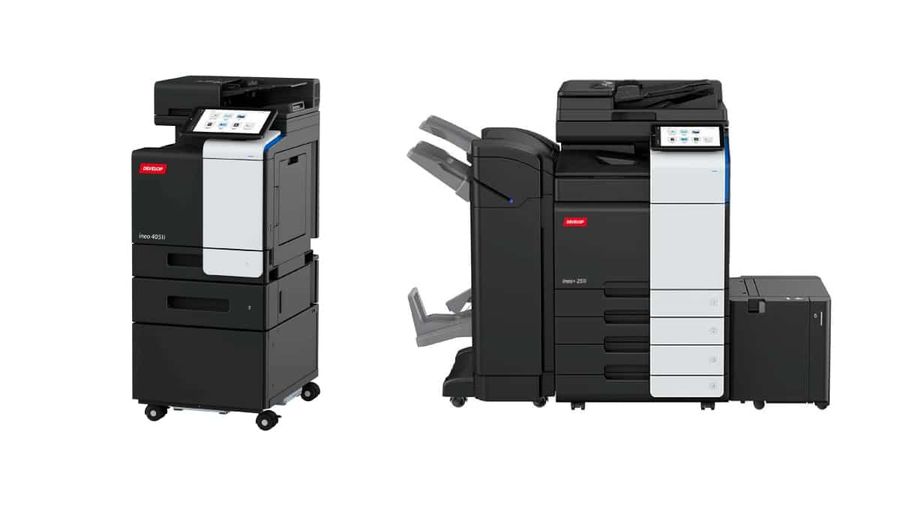
If your team is stuck waiting around for the printer, or worse, constantly fixing it, it’s probably time to stop patching and start replacing. An office printer should just work. If print jobs fail, jam, or crawl along at a snail’s pace, your old machine isn’t keeping up anymore.
Outdated printers struggle with the basics. They don’t play well with mobile devices. They jam more often. They cost you time, money, and patience. And they’re not built for the way people work now – fast, flexible, and often from somewhere other than a desk.
That’s why more UK businesses are moving on. At The Photocopier Shop, we help teams upgrade without overspending. You can rent or lease a machine that fits your actual needs, whether you print daily or only when invoices go out. No guesswork. Just the right setup with fair pricing and support that shows up when you call.
We’ve been doing this for over 30 years. We’re still family-run, which means when you ring, a human answers. If something breaks, we aim to fix it within three working hours – no long waits or vague promises.
If your current printer is slowing things down, let’s have a quick chat. In ten minutes, we’ll tell you if an office printer upgrade could save you money.
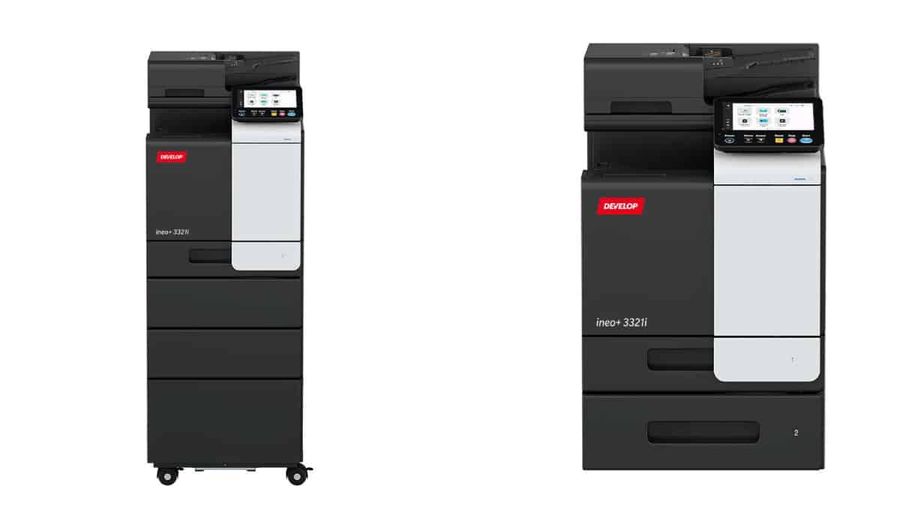
Signs Your Office Printer Upgrade Is Overdue
You don’t need a degree in IT to know when your printer’s past its prime. If these issues sound familiar, it’s probably time for an office printer upgrade:
● It breaks all the time: You have engineers on speed dial, and downtime is cutting into your team’s productivity.
● It’s too slow: Print jobs stall or take forever to run. Old printers can’t keep up with today’s file sizes or workflow speed.
● The print quality is awful: Faded text, streaks, or weird colour issues? You shouldn’t have to waste time reprinting or explaining a bad report.
● It’s missing basics: No scanning, no double-sided printing, and no secure print release. Those aren’t extras anymore, they’re just expected.
● It won’t connect properly: If it struggles to link with Wi-Fi, phones, or laptops, it’s not built for how people work today.
If you’re dealing with more than one of these, the machine isn’t just outdated; it’s holding your team back. An upgrade isn’t a luxury at that point. It’s a fix.
The Benefits of Upgrading Your Office Printer
Upgrading gives your team faster, more reliable machines. But that’s not the only benefit.
● Fewer callouts mean more time working.
● Lower running costs thanks to improved efficiency and reduced waste.
● Stronger security, with features like user tracking and PIN release.
● Better output with sharper documents and accurate colours.
● Peace of mind knowing support is always there when needed.
We also offer cost-per-copy service plans, so your toner, servicing, and maintenance are all covered. There are no hidden extras.
Should You Go with An Inkjet or Laser Printer?
If you’re still using an inkjet in a busy office, you’re probably spending more than you should and waiting longer than you need to. Laser printers are usually the better fit for business. They’re faster, more reliable, and cheaper to run if you print regularly.
Inkjet printers can still make sense in low-use settings or if you need sharp colour detail for things like client-facing brochures or image-heavy documents. However, for most office tasks, such as reports, invoices, and training materials, a laser printer gets the job done more quickly and efficiently.
If you’re unsure which way to go, we’ll examine how your team currently prints and help you choose a setup that suits, not one that adds cost or complexity.
Why a Multifunction Printer Could Be the Smarter Upgrade
If your team prints, scans, and copies every day, a multifunction printer (MFP) can save space, time, and hassle. These all-in-one machines make more sense than juggling separate devices.
Here’s where an MFP earns its keep:
● Training teams scanning large volumes of documents.
● Legal and finance teams who need secure, trackable print and scan workflows.
● Any office that wants to scan straight to email or cloud without a laptop.
The right MFP handles all of that in one place. The models we recommend support secure print release, double-sided printing, and mobile access – all standard features, not extras.
If you’re thinking about an office printer upgrade, an MFP might cover more ground with less effort.
The Office Printer Upgrade Features that Matter.
Not every bell and whistle is worth your money, but some features make a real difference when you’re planning an office printer upgrade. Here’s what to look for:
● Pages per minute (PPM): Speed matters. A faster printer keeps work moving, especially in busy teams.
● DPI (dots per inch): Higher DPI means sharper, cleaner prints. Important for anything that needs to look polished.
● Automatic document feeder (ADF): Scanning stacks of pages by hand is tedious and time-consuming. ADF lets you load and go.
● Duplex printing: Prints on both sides to save time and cut paper use in half.
● Wi-Fi, Ethernet, mobile printing: Everyone should be able to print, no matter where or what they’re working from.
● Built-in security: From secure release to access controls, good security keeps data safe and printing under control.
These features aren’t just nice to have. They’re what makes a modern office printer worth the upgrade.
Should You Rent or Lease Your Next Office Printer?
When it comes to getting a new printer, you don’t have to buy it outright. Most businesses choose between renting and leasing. Here’s how they work:
● Renting is flexible. It’s short-term, easy to upgrade, and works well if your needs change often. It’s great for growing teams or project-based work.
● Leasing is a longer commitment, typically lasting 3 to 5 years. You pay monthly for the equipment. Maintenance, toner, and support come under a separate service plan.
If you’re considering an office printer upgrade but aren’t sure how long you’ll need it, renting gives you options without the risk.
Why Choose The Photocopier Shop for Your Office Printer Upgrade
Upgrading your office printer shouldn’t be a gamble. You need a supplier who knows what they’re doing and one who picks up the phone. That’s where we come in.
The Photocopier Shop is a family-run business with over 30 years of hands-on experience. No scripts, no bots, and no call centres. When you call us, you get straight through to someone who knows printers and understands what your team needs to keep working.
We keep things simple and upfront. We also work directly with one of the UK’s biggest leasing companies. This means fewer delays, lower costs, and more control on your end.
We support offices all over the UK, from Preston and Manchester to remote setups and satellite teams. If something breaks, we aim to have an engineer on-site within three working hours. No waiting days for a fix.
Our rental and lease options are clear-cut. You won’t get boxed into a package that doesn’t fit. We tailor solutions to suit your workflow. And we only supply proven, reliable brands like Konica and Develop, machines that are made to handle real workloads.
If you’re considering an office printer upgrade and want to skip the sales fluff, please give us a call or email us. We’ll help you figure out what’s right – for your budget, your team, and the way you work.
Get in Touch
Looking to upgrade your office printer or compare your current setup? Speak to our team today.
Address: 26 Hastings Road, Leyland, Preston, PR25 3SP
Phone No.: 0161 761 3333
Email: enquiries@thephotocopiershop.co.uk
Let’s see if we can save you money. We usually can, and we’ll let you know within 10 minutes or less.